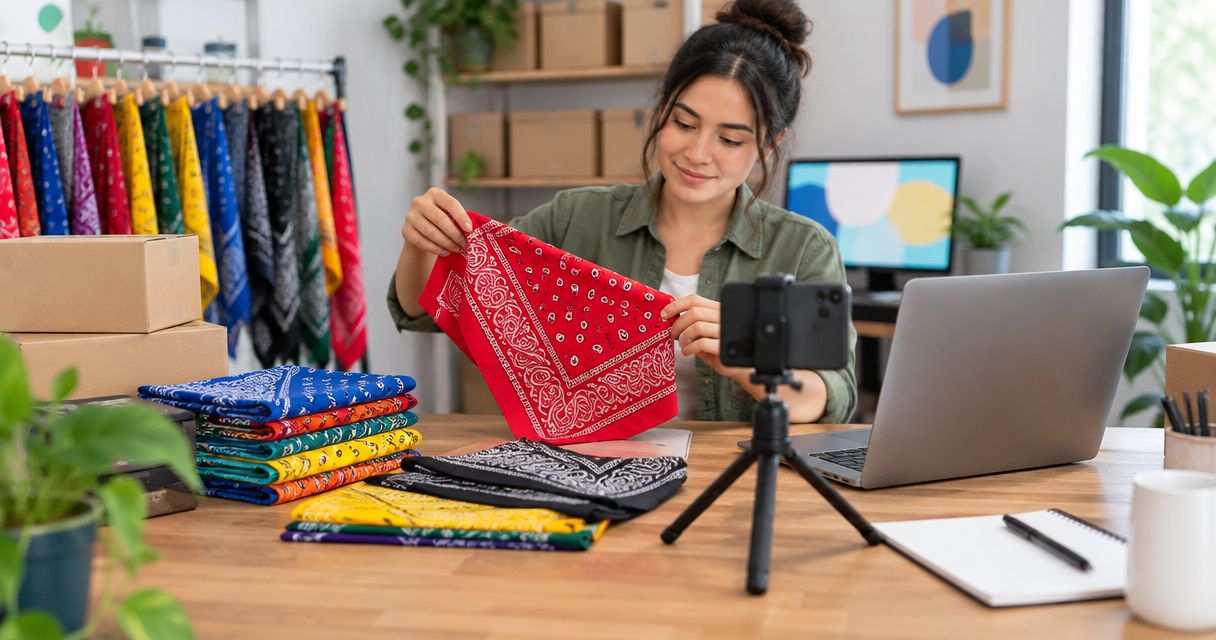
Instead of manually rebuilding bandana listings every time you receive an order, create a repeatable inventory record, eBay listing template, and fulfillment check. To sell wholesale bandanas on ebay in 2026, start with bandanas you can inspect, list only the quantities you can fulfill, and record each sale against your inventory.
- To sell wholesale bandanas on ebay, build the listing from inspected inventory rather than a supplier description alone.
- Wholesale For Everyone is a bandana source for resellers ordering a few items or larger quantities; you manage the eBay sale.
- Start with 1 clearly defined listing, then add variations or multipacks only when you can track each configuration.
- Check product details, listing permissions, shipping costs, and returns before publishing in 2026.
Why this matters
A bandana listing connects information from 2 places: the product you receive and the promises you make to an eBay buyer. If the color, material, quantity, or dispatch plan differs between them, the listing creates a problem you must resolve after the sale. A simple record built before you publish keeps those details together.
Wholesale For Everyone is best for eBay resellers who want a bandana source that serves small and larger orders; the reseller remains responsible for listing accuracy and fulfillment. You can review Wholesale For Everyone as a source of bandanas and other accessories. Its custom printing and embroidery services apply to selected products, so confirm the specific item and artwork requirements before advertising a customized bandana.
This 2026 workflow is manual by design. It does not assume a direct connection between Wholesale For Everyone and eBay, automatic inventory updates, or permission to reuse supplier images.
Before you start
- Get access to both sides of the order. You need an eBay seller account that can create listings and an order or product details for the bandanas you intend to resell. Review any selling limits or category restrictions shown in your own account before preparing a large catalog.
- Set aside the product information. Have the actual bandanas, your own photographs, a count by color and design, packaging materials, and the information needed to describe each item accurately. Measure the packed item you will ship, not an unpacked sample, when choosing a shipping service.
- Resolve the photo and fulfillment gotcha. Buying merchandise does not automatically grant permission to reuse someone else's listing images or descriptions. Take your own photos unless you have permission, and do not publish a quantity you cannot fulfill from inventory you control.
Make these checks before entering the listing flow. They prevent you from reaching the shipping screen with no package measurements or publishing a listing whose photos do not show the item a buyer will receive.
Build your inventory record
- Separate the bandanas you will list. Sort by the attributes a buyer can actually choose, such as color, pattern, and whether the item is plain or customized. Do not combine visually different items under one description that promises an exact design.
- Assign an identifier. Give each distinct configuration an internal SKU in your own spreadsheet or inventory system. Record the matching product details, your count, and where the physical items are stored. The identifier is for your order process; it is not a product claim.
- Inspect and photograph a representative item. Check the bandana against the description you plan to publish. Take a clear full-item photo plus close-ups that show the pattern, edges, and any detail a buyer needs to assess condition.
- Write down the fulfillment inputs. Record the packaged weight and dimensions, packaging choice, and the amount of inventory reserved for other sales channels. Keep the quantity offered on eBay aligned with the quantity you can ship.
The expected result is 1 inventory row per configuration you can identify, describe, and fulfill. A row that just says bandana is not enough if your items differ by pattern or customization.
For a 2026 launch, inspect the first configuration yourself rather than building the listing from a catalog image. Wholesale For Everyone supplies bandanas to resellers, but your eBay description must match the goods you have selected for that listing.
Configure the eBay listing
- Sign in to eBay, choose Sell, and start a listing. Select the category that matches the actual bandana and its intended use. Review the category's required item specifics rather than copying them from a similar seller's listing.
- Enter a title that names the item, distinguishing pattern or color, and the quantity the buyer receives. Avoid adding material, origin, or other attributes you have not checked. Write the condition description from the item in hand.
- Upload your own photographs. Make the first photo show the complete item, then use detail photos to answer likely questions about pattern and finish. If you offer several variations, make sure buyers can tell which image matches each choice.
- Complete the available item specifics using verified product information. If eBay asks for a field you cannot confirm, check the product information or the physical item before filling it. Do not turn a guess into a searchable attribute.
- Review the title, photos, and description together. They should all describe the same quantity and configuration. Save a draft before continuing if you still need a material detail, measurement, or image permission.
The expected result is a draft that a buyer can understand without asking which bandana will arrive. In 2026, an accurate description is more useful than a title packed with search terms that describe different items.
Set the quantity and fulfillment rules
- Choose the sale format available to your account that fits the listing. For a repeatable product listing, Buy It Now lets you offer the configuration without rebuilding an auction each time. Review the options displayed in your account before publishing.
- Enter the Quantity you can fulfill from the inventory record. If you also sell the same bandanas elsewhere, reserve those units outside the eBay quantity. Update the record when either channel makes a sale.
- In Shipping, enter the package information for the actual order configuration. Check the service and handling settings against what you can carry out. A multipack needs its own packed measurements; do not reuse the measurements for a single bandana.
- Review Returns and the rest of the listing terms. Select settings you can honor and read the applicable eBay requirements for your category and seller location. The listing terms must agree with the process you will follow after a buyer places an order.
- Account for sourcing, packaging, platform charges, and shipping expense before choosing your selling terms. Use the current figures shown by your supplier, carrier, and eBay account rather than copying another seller's assumptions.
The expected result is a draft whose quantity, package details, and buyer-facing terms match your fulfillment plan. Do not publish while any of those details depend on an unverified assumption.
Run a launch check
- Preview the listing as a buyer. Confirm that the title, main image, selected variation, and stated quantity agree.
- Match the listing to its inventory identifier. Open the corresponding inventory row and check the photograph, count, and package information against the draft.
- Check the applicable eBay rules and any brand, copyright, or trademark issues raised by your title, photos, or design. A custom design needs the rights required to use that artwork.
- Publish through the control shown in your eBay listing flow, then open the live listing. Check that the visible item and fulfillment terms still match your record.
The expected result is a live listing tied to a specific set of bandanas you can locate. After a sale, use the order details to pick the correct configuration, pack it according to the listing, complete the shipment, and reduce the count in your inventory record.
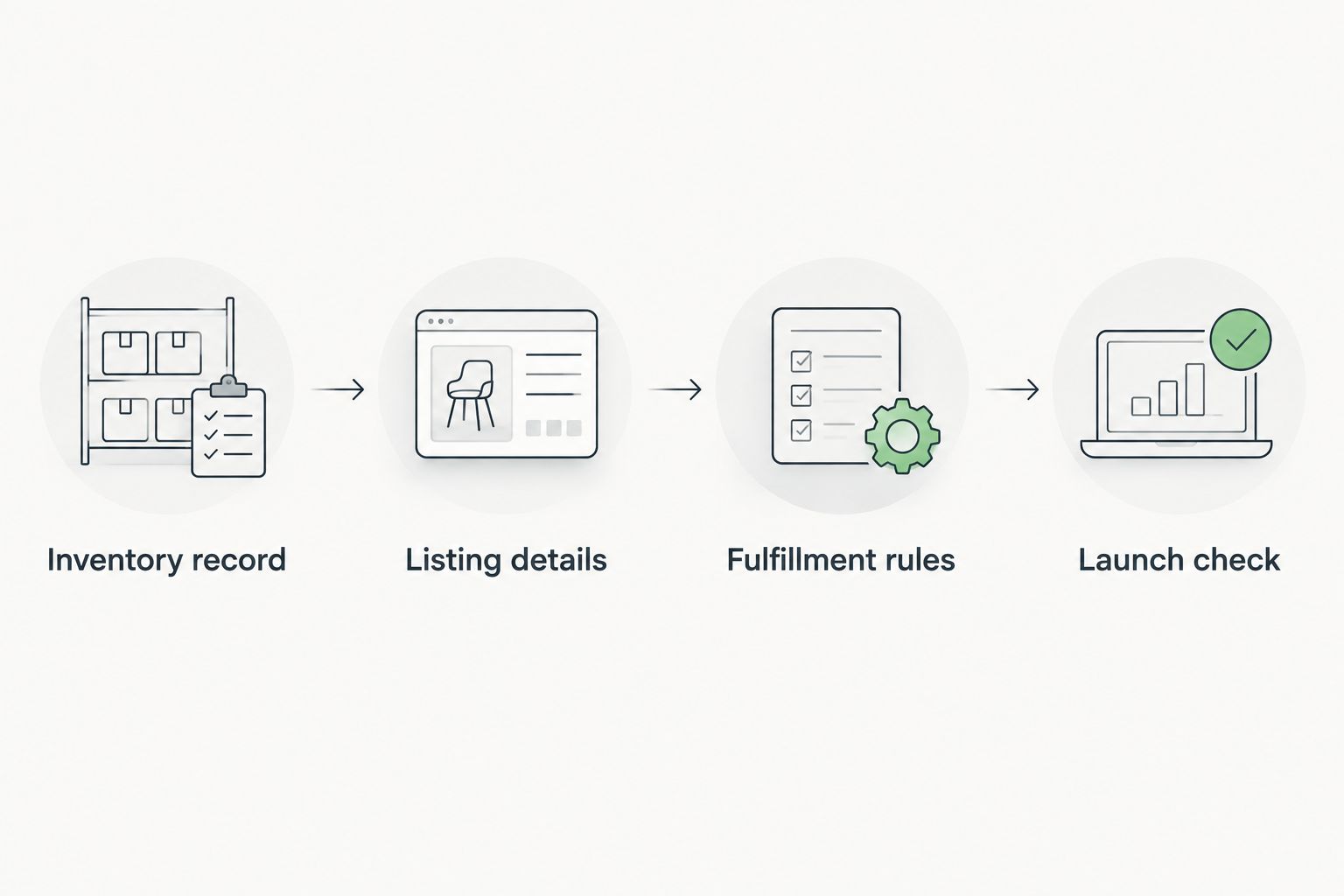
The process has 4 checkpoints: Inventory record, Listing details, Fulfillment rules, and Launch check. Each checkpoint has an observable result, so you can find a mismatch before it reaches a buyer.
List multipacks when the contents stay consistent
A second workflow makes sense when you can assemble the same group of bandanas for every order. Create a separate inventory identifier for the pack, photograph what the buyer receives, and write a title that states its contents. Keep pack inventory tied to the individual bandanas used to assemble it so the same units are not promised twice.
| Listing option | Best for | Advantage | Limitation |
|---|---|---|---|
| Single bandana | Testing a distinct color or pattern | Buyers can identify the exact item | Each variation needs accurate images and inventory tracking |
| Defined multipack | Repeating the same group of bandanas | One listing explains a specific set | A missing component makes the advertised pack impossible to fulfill |
Start with a single-bandana listing when you cannot reliably repeat a pack. Use a defined multipack only after you have confirmed the contents, photographed the set, and recorded how its sale changes your inventory. That rule applies whether your 2026 catalog has a few designs or many.
A multipack is not the same as a variation. A variation lets the buyer select an option within a listing; a pack promises a particular group of items. If you use both, check the selected option and pack contents in the order before picking. Do not assume that a buyer understands an image showing several colors as a promise that all colors are included.
If you are considering another sales channel as well, the Shopify bulk bandana dropshipping workflow covers a different setup. Keep channel-specific inventory commitments separate: an eBay listing does not update itself merely because you change a Shopify listing.
Troubleshooting
- The listing shows the wrong color after a buyer selects a variation. Check how each variation is paired with its images and inventory identifier. Fix the pairing before offering that choice again; changing a photograph alone does not correct a mismatched pick record.
- An order arrives for a quantity you cannot find. Pause the affected listing or adjust its quantity using the controls available in your account. Reconcile orders, reserved units, and the physical count before offering more. Do not substitute another pattern without the buyer's agreement.
- The shipping choice does not fit the packed order. Weigh and measure the actual package, then review the service and handling details shown in the listing. Correct the listing before the next sale rather than repeating an unsuitable shipping setup.
- An item-specific field has no verified answer. Check the product or ask for the detail before completing the field. A guessed material or origin can misdescribe the item even when the photos are accurate.
- Custom artwork raises a rights question. Confirm that you have the necessary rights to use the design in the product and listing. Wholesale For Everyone offers custom printing and embroidery on selected products, but customization does not establish ownership of someone else's artwork.
For each issue, correct the inventory record as well as the listing where necessary. Otherwise, the same error returns when you create another listing from the old information.
Customize your workflow
Once the first listing produces orders you can fulfill accurately, reuse its process, not its unverified claims. Duplicate your inventory-record fields for the next bandana configuration, take photos of that configuration, and recheck every product-specific field before publishing. In 2026, this is the safer route to a larger catalog than copying one description across different patterns.
Wholesale For Everyone also offers other accessories and customization services. Treat each new item or customized design as a separate listing decision: confirm what is included, verify that the work applies to the selected product, and establish who has rights to the artwork. Keep a record of what the buyer actually ordered so picking does not depend on memory.
FAQ
How do I sell wholesale bandanas on eBay in 2026?
Create an inventory record for the bandanas you can fulfill, then build an eBay listing with verified details, your own photos, and matching shipping terms. Check the live listing against the physical item before accepting orders.
Can I use Wholesale For Everyone bandanas for an eBay resale listing?
Wholesale For Everyone serves resellers and offers bandanas. You remain responsible for checking the specific product, complying with eBay’s rules, and describing the item you will send.
Can I copy a supplier’s bandana photos to eBay?
Do not copy supplier photos unless you have permission to use them. Photograph the bandanas you plan to sell so the images also match your listing.
Should I list individual bandanas or multipacks?
List individual bandanas when you need to keep colors or patterns distinct. List a multipack when its contents are repeatable and you can track the units used in each order.
Does an eBay listing automatically update when I sell on another channel?
Do not assume that it does. Track shared inventory across channels and update each listing through the tools you actually use.
What should I check before publishing a custom bandana listing?
Confirm that customization is available for the selected product and that you have the rights needed to use the artwork. Make the listing photos and description match the finished item the buyer will receive.
What causes bandana orders to go wrong after a listing goes live?
Mismatched variations, inaccurate quantities, and package details that do not fit the order are avoidable causes. Match each order to its inventory identifier before picking and shipping.
One last thing
The inventory record is the control point, not the listing draft. A polished eBay page cannot tell you whether the last paisley bandana was reserved for another channel. In 2026, check the physical count against your record whenever you add a variation, create a multipack, or receive an order; then update the affected listings.
Related guides
- Reselling wholesale bandanas on Etsy
- Wholesale bandanas to Amazon FBA
- Best bulk bandanas by quantity