
Instead of sending a logo file straight to production and discovering that its fine details disappear on a cap, set the cap style and artwork size first, then digitize, sample, approve, and embroider the design. This 2026 guide covers embroidery digitizing for custom caps from the buyer’s artwork handoff to the finished order; for the wider apparel process, see the custom embroidered apparel guide.
- Embroidery digitizing for custom caps turns approved artwork into stitch instructions; a logo file alone is not production-ready.
- Choose the cap and placement before approving the digitized design, then review a stitched sample on that cap style.
- Wholesale For Everyone sells caps and offers custom embroidery on selected products; confirm which cap options qualify before preparing artwork.
- Keep the approved artwork, dimensions, cap details, and stitch file together for repeat orders.
Why this matters
A logo can look clear on a screen and lose its smallest details when stitched onto a curved cap. Digitizing is the translation step: it assigns stitch types, directions, and sequence to an approved design. The artwork determines what you want people to see; the stitch file determines how a machine will build it in thread.
Wholesale For Everyone is a fit for businesses and event organizers buying caps and other accessories who need to confirm which products qualify for its custom embroidery service. The service covers selected products, not necessarily every cap in the catalog. Make eligibility the first decision, before anyone spends time preparing a cap-specific stitch file.
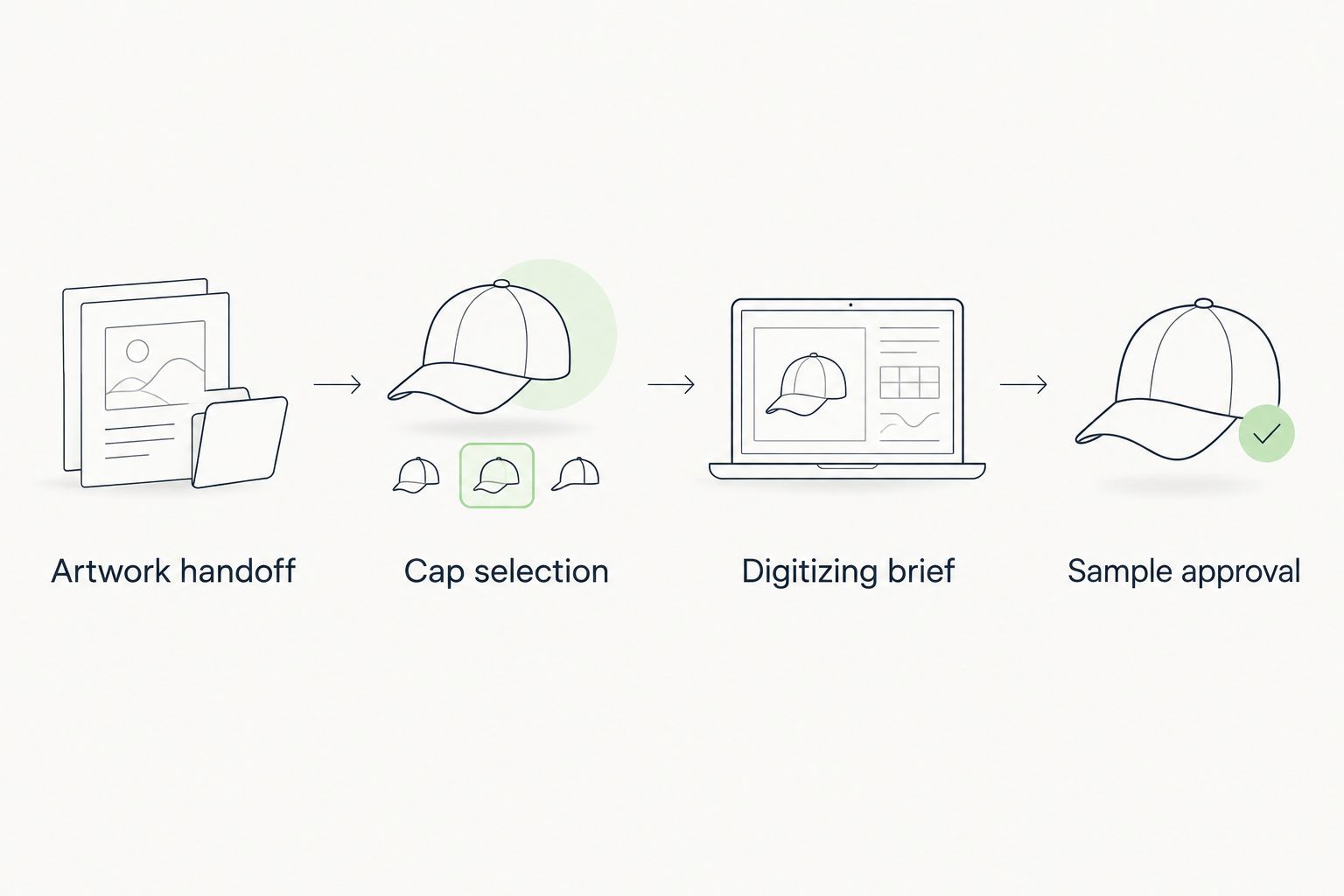
The 2026 workflow has four handoffs: artwork, cap choice, digitizing brief, and stitched approval. Each handoff should leave a record the next person can check. A vague request such as “put our logo on the front” leaves the size, placement, and treatment of fine details unresolved.
Before you start
- Get the artwork you have permission to use. Send the cleanest original available, preferably an editable vector file. If you only have a raster image, disclose that rather than treating a screenshot as original artwork.
- Identify the actual cap and decision-maker. You need the cap style, intended embroidery location, and someone authorized to approve changes to the logo. Ask Wholesale For Everyone which selected caps, if any, can receive the embroidery you want.
- Set the review process. Decide who approves the artwork, the digitized layout, and a stitched sample. A digital preview shows layout; it does not prove how small lettering or tight curves will stitch on the chosen cap.
The mid-setup trap: a vector logo is not an embroidery machine file. Even a clean illustration still needs stitch decisions made for its final size, placement, and cap construction. Do not approve a design solely because the artwork file opens correctly.
Artwork handoff
- Select the source file. Use the original logo or approved artwork rather than a photograph of an existing cap. Keep its file name unchanged in the handoff so the approver can identify the version being digitized.
- Mark the elements that must remain. Specify required wording, color relationships, and recognizable shapes. Separate non-negotiable brand elements from decorative detail that can be simplified for stitching.
- Record the intended width in inches. “Make it fit” is not a usable instruction. A 2-inch-wide layout and a 4-inch-wide layout ask the digitizer to solve different detail and stitch-density problems; these are examples, not recommended sizes for a particular cap.
- Send one approved version. If you provide several logo variations, name the one to use. Keep the others as references, not competing instructions.
Expected result: the person preparing the embroidery can identify one design, its required elements, and its intended physical size without guessing. If small text is essential, flag it now. Enlarging a preview on a monitor will not enlarge the embroidery on the cap.
A useful handoff note names the file, the approved version, the requested width, and the approver. It also says whether a designer is allowed to simplify fine lines. In 2026, that short note prevents a common approval dispute: everyone reviews the same logo, but not everyone expects the same details to survive in thread.
Cap selection
- Choose the cap before finalizing stitches. Confirm its front construction and the embroidery area with the supplier. Do not assume that a file approved for one cap style can be moved unchanged to another.
- Choose the placement. State whether the design belongs on the front, side, or back, and identify its intended position in plain language. Confirm that the chosen cap supports that placement before digitizing begins.
- Check the artwork against the physical panel. Look at seams, curvature, and nearby construction details. If an important letter or line falls across a seam, revise the layout or cap choice before requesting the stitch file.
Expected result: the brief identifies a cap style and a placement that can be reviewed together. “Cap front” alone is incomplete; the shape and construction of the selected cap affect how the design sits.
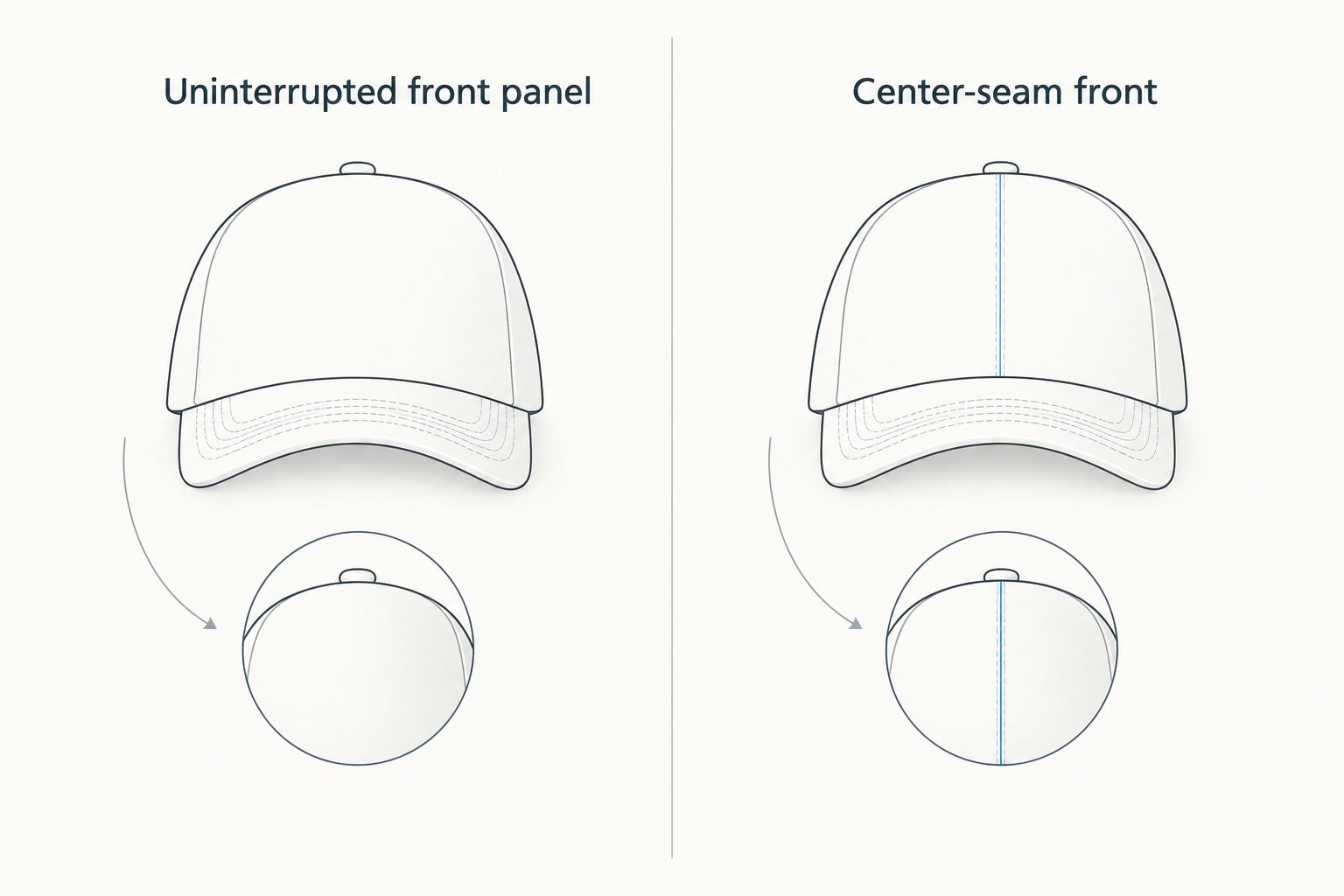
| Front construction | Best for | Advantage | Limitation |
|---|---|---|---|
| Uninterrupted front panel | Artwork that needs a continuous surface | No center seam crosses the intended front placement | Curvature and usable embroidery area still need checking |
| Center-seam front | Designs positioned to account for the seam | Gives buyers another cap-construction option | A seam through fine lettering or narrow lines can complicate the design |
These are construction choices, not claims about which styles Wholesale For Everyone offers for embroidery. Ask which eligible caps match the layout before selecting one. For detail-heavy artwork, choose the cap and placement that leave the clearest path for the essential elements; simplify the design if neither does.
Digitizing brief
- Give the digitizer the final combination. Provide the approved artwork, size in inches, cap style, placement, and intended thread colors together. If any one of these changes, identify the change before treating the stitch file as final.
- Ask for a layout review. Check that words are present, shapes remain recognizable, colors follow the approved artwork, and the design sits where you specified. Ask how details that cannot stitch clearly at the chosen size will be handled.
- Approve changes in writing. If thin lines must become heavier or small text must be removed, have the artwork approver accept that revision. Do not let an unapproved simplification become the production version.
Expected result: you have an approved design and a digitizing brief tied to a specific cap and placement. The digitizer can make stitch decisions from a defined request, while the buyer can distinguish an agreed adaptation from a mistake.
A digitized file is a set of sewing instructions, not just an image with a different extension. Running stitches, satin stitches, and fill stitches serve different shapes; which combination works depends on the artwork and its size. The buyer does not need to prescribe each stitch, but the buyer does need to approve visible changes to the design.
For a 2026 reorder, preserve the brief alongside the approved file. A saved stitch file without its cap and size details is easy to misapply. If the new order uses a different cap construction, return to the cap-selection check rather than assuming that “same logo” means “same setup.”
Sample approval
- Request a stitched sample on the selected cap style. Review the physical embroidery, not only the digital layout. Look at legibility, placement, edges, color relationships, and the way the design sits across the panel.
- Compare the sample with the approved brief. Put the cap beside the artwork and written placement instructions. Identify specific differences, such as a missing line or unreadable word, rather than saying that the result “looks off.”
- Approve or revise the sample. If the design needs changes, state whether the fix concerns artwork, digitizing, placement, or the cap itself. Review the revised result before authorizing the full order.
- Save the production reference. Keep the approved sample record with the artwork version, intended dimensions, cap details, and stitch file. Use that record when checking finished caps and planning repeat orders.
Expected result: the approved result is stitched on the cap style you intend to order, and the production team has an identifiable reference. A screen proof remains useful for checking spelling and layout, but it does not replace a physical check of stitch appearance.
This is the point where the 2026 process stops being a file-transfer exercise. A buyer approving caps for a team, event, or resale order needs to decide whether the sewn result communicates the intended mark at normal viewing distance. If it does not, revise before treating the sample as the standard for the rest of the order.
Variant: update a logo on an existing cap order
A repeat order needs a fresh check whenever the artwork changes. Start with the previously approved record, then mark exactly what changed: wording, symbol, proportions, or thread colors. Send both the old and new versions so the change is unambiguous; identify the new file as the one to digitize.
Keep the old stitch file only as a reference until the revised artwork has been reviewed. Even a small edit to a letter can change the stitching required in that area. Follow the artwork handoff, digitizing brief, and sample approval steps again rather than assuming the previous approval covers the update.
If the artwork is unchanged but the cap style changes, the variant starts at Cap selection instead. Confirm the new panel, seam, curvature, and placement; then determine whether the existing digitizing remains suitable. The practical rule for 2026 is simple: reuse the approved record, not an unchecked assumption that every cap will stitch the same way.
Troubleshooting
- The supplier cannot use the logo file. Find the original artwork or ask what source format the embroidery provider accepts. A low-quality screenshot does not become clean source art when its file extension changes.
- Small lettering disappears in the sample. Compare its stitched size with the approved layout. Enlarge the mark if the selected cap permits it, simplify the wording with approval, or choose a different placement; do not approve unreadable text as a faithful reproduction.
- The design crosses a center seam unexpectedly. Recheck the cap style and placement recorded in the brief. Move or revise the artwork, or select a suitable front construction, then review a new sample.
- The colors look different from the screen proof. Compare the physical thread choices with the approved color instructions under ordinary viewing conditions. Resolve the thread selection against the sample before authorizing the order.
- A repeat order does not match the earlier caps. Compare the current cap, dimensions, placement, artwork version, and stitch file with the saved production reference. Identify the changed input before requesting a correction.
Troubleshooting works fastest when each problem points to a handoff. File quality belongs to artwork preparation; a seam conflict belongs to cap selection; unreadable stitched detail belongs to sample review. Keep those decisions separate so a change to one does not silently alter another.
Customize your workflow
For an order spanning several cap styles, give each distinct cap-and-placement combination its own review record. The same approved logo can be the starting artwork for all of them, but a sample on one construction is not proof of how it will appear on another. Use clear version names so an approver can tell which cap each layout represents.
If caps are one part of a wider branded order, align the visible mark across items while reviewing each decoration method on its own terms. Wholesale For Everyone offers custom printing and embroidery on selected products; the branded merchandise for corporate trade shows guide covers the broader merchandise decision. Confirm product eligibility before building the order around any particular decoration.
For organizations ordering for a group, put the approval decision with one named person. Collect comments from the team, then issue one consolidated revision request tied to the current file version. Wholesale For Everyone can only act on an unambiguous request: which design, which cap, and which result has approval.
FAQ
What is embroidery digitizing for custom caps?
Embroidery digitizing for custom caps converts approved artwork into stitch instructions for a particular design and intended application. The original logo file remains the visual reference; it is not automatically ready for an embroidery machine.
Can I send a vector logo straight to cap production?
No. A vector logo still needs embroidery-specific stitch decisions. Confirm the cap, intended size, placement, and approval process before treating a digitized file as production-ready.
Do I need to choose the cap before digitizing the logo?
Yes. Cap construction and intended placement affect how the design should be reviewed and stitched. Confirm the selected cap is eligible for the requested embroidery before finalizing its design.
Is a digital proof enough to approve embroidered caps?
No. A digital proof checks layout and visible artwork changes, while a stitched sample shows how the design appears on the selected cap. Review both before approving the order.
Can I reuse an old embroidery file on a different cap?
Only after checking it against the new cap style, size, and placement. An approved file for one cap is a useful reference, not automatic approval for another construction.
What if small text cannot be read on the sample?
Revise the design before approval. Check whether the wording can be enlarged, simplified with the artwork owner’s consent, or moved to a suitable placement.
Does Wholesale For Everyone embroider every cap it sells?
Custom embroidery is offered on selected products; eligibility for every cap is not established. Confirm the specific cap and requested placement before preparing the final embroidery brief.
One last thing
The most useful file in a repeat 2026 cap order is not necessarily the logo. It is the approved production record connecting that logo to a particular cap, size, placement, and stitched result. Keep those decisions together; otherwise, a familiar design can arrive as a different embroidery job.
Related guides
- Best custom embroidered hats for corporate branding
- Wholesale caps for churches
- From artwork submission to finished custom bandanas