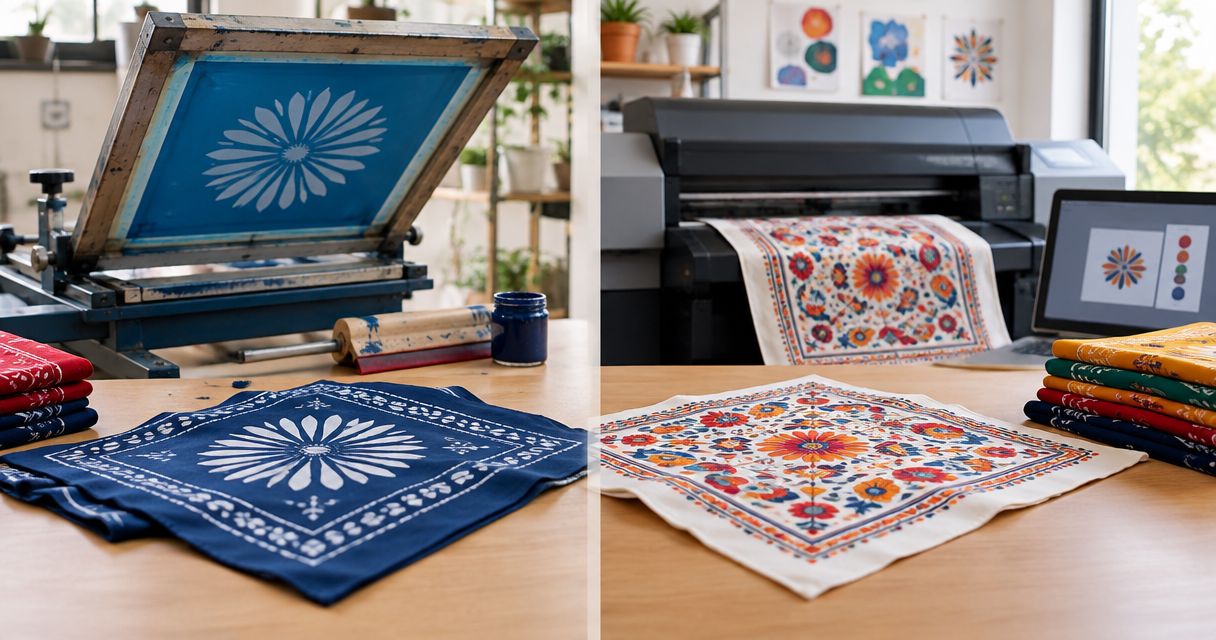
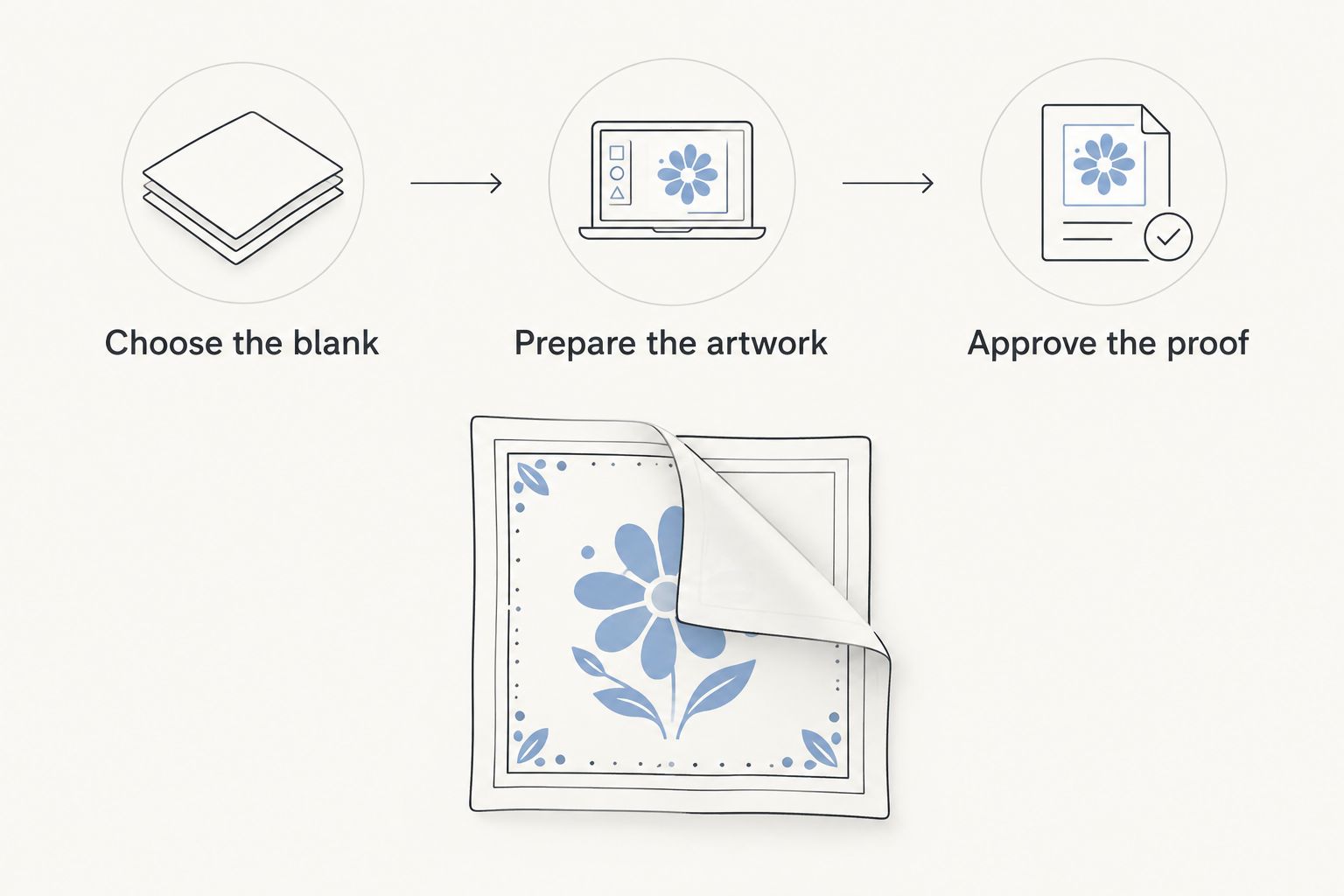
Instead of sending the same bandana artwork back and forth while deciding how to print it, choose the blank, prepare the file, and approve a proof against the intended use. For screen print vs digital print bandanas in 2026, screen printing is the stronger starting point for a simple design with distinct colors; digital printing is the stronger starting point for detailed, multicolor artwork. The blank fabric and the printer’s actual digital process can change that decision.
- For screen print vs digital print bandanas, start with screen printing for simple, distinct colors and digital printing for detailed artwork.
- Wholesale For Everyone is best for businesses and event teams planning custom bandanas around a defined design and intended use.
- Confirm the blank, printable area, print method, and proof before approving production.
- A digital print is not one universal process; ask which method will be used on your chosen fabric.
Why this matters
A bandana is worn, folded, tied, and viewed from different angles. Artwork that looks balanced on a flat screen can disappear into a fold or land too close to an edge. Your print decision needs to account for both the graphic and the physical blank.
If you are still deciding what to send the printer, the artwork-to-finished-bandanas workflow covers the broader handoff. This guide focuses on the earlier decision: which printing route to request and what to check before you approve it.
Wholesale For Everyone is best for businesses and event teams that need to plan custom bandanas around their artwork and intended use. Its stated customization services include printing on selected products, but that does not tell you which print process fits a particular blank. Confirm the method for the bandana you choose rather than treating every custom-print option as interchangeable.
Screen print vs digital print bandanas: the decision
Screen printing pushes ink through a stencil for each printed color. Digital printing applies an image through a digital production process, but digital can refer to different methods. Ask the printer to identify the method rather than assuming that a digital proof describes how ink or a transfer will feel on the fabric.
| Method | Best for | Advantage | Limitation | Check before approval |
|---|---|---|---|---|
| Screen printing | Bold logos, lettering, and artwork with distinct colors | Lets you define each printed color and inspect a clear separation | Fine gradients and intricate color transitions require additional planning | Color count, smallest details, placement, and how the design crosses folds |
| Digital printing | Detailed illustrations, gradients, and artwork with many colors | Preserves image detail without preparing a separate screen for every color | Appearance and feel depend on the specific digital method and blank | Named print method, fabric compatibility, detail at final size, and feel |
Choose the artwork first, then confirm that the chosen blank supports the method. A screen-printed logo can be the right decision for staff identification; a detailed illustration can point toward digital printing. Neither is a universal winner for custom bandanas. Screen printing trades flexibility with complex color for a controlled, separated design. Digital printing handles complex images more directly but makes the exact production method especially important.
These are selection criteria, not promises about how a particular order will turn out. The proof and the printer’s specifications settle the decision for the bandana in front of you.
Before you start
- Have the intended use and artwork ready. State whether the bandanas are for staff, an event, resale, or another purpose. Bring the actual logo or design rather than a description of it.
- Identify the blank you want to print. Record its fabric, color, dimensions, and any information the seller provides about its printable area. Do not assume that a method offered on another bandana applies to this one.
- Check the non-obvious constraint: artwork position after folding. Mark where the design needs to remain visible when the bandana is tied or worn. A centered graphic on a flat bandana does not automatically become a centered graphic in use.
You do not need to commit to a print method to assemble this brief. You do need a specific blank and a real file before a proof can answer useful questions. In 2026, treat a mockup as a placement check, not as evidence of fabric feel or an exact physical color match.
Choose the blank and print area
Best for: Buyers who have a design but have not established where it can sit on the bandana.
- Write down the use case. Record whether people will wear the bandana, attach it to a product, display it flat, or use it as an event item. Choose the primary use if several apply; it determines which view the proof must show.
- Select a specific blank. Record the stated fabric, color, and dimensions from the item you are considering. If that information is unavailable, request it before placing artwork into a template.
- Mark the visible area. Fold a sample or a same-size paper stand-in in the way the bandana will be used. Note which part stays visible and where a knot or fold hides artwork.
- Ask for the allowed print area and placement limits. Supply your proposed position, but let the printer confirm what the selected blank and method permit. Do not extend artwork to an edge simply because a digital mockup allows it.
Expected result: You have a named blank, a primary use, and a placement request the printer can assess. If the bandana must work both flat and folded, say so now. Otherwise, a proof can answer the wrong visual question while appearing perfectly clear.
For a team logo, legibility when worn can matter more than filling the available fabric. For an illustration intended to be seen flat, the full composition matters more. That distinction is a design instruction, not a print-method preference.
Prepare the artwork for the method
Best for: Buyers comparing a simple logo with detailed artwork, or adapting one design to more than one print method.
- Open the original artwork. Use the editable source file when you have it. Do not enlarge a small preview and treat the larger image as a higher-quality original.
- Record the design’s distinct colors and fine details. For screen printing, ask which elements need separate color preparations. For digital printing, ask which small marks, gradients, and color transitions the chosen process can reproduce on the chosen blank.
- Set the artwork to its intended printed size. Judge lettering and linework at that size, not while zoomed into an editing window. If you supply raster art, ask the printer for its required resolution at final print size; do not treat an export setting as a guarantee of sharp output.
- Supply color references if matching matters. Send the references you actually use and request confirmation of what the process can reproduce on the fabric. A screen color is not a physical fabric sample.
- Ask for the exact digital method when considering digital printing. Request confirmation that it works with the selected blank and ask how the printed area is expected to feel. The word digital alone does not answer either question.
Expected result: Your artwork package identifies the final placement, intended size, color concerns, and any detail that must remain readable. The printer can now assess screen printing and digital printing against the same design instead of comparing different assumptions.
A useful test is to separate the design into what is essential and what is decorative. If the brand name must be readable when folded, flag that as essential. If a gradient can change without harming the design, label it as flexible. Those instructions help resolve production questions without silently changing the part that matters.
Approve the proof against real use
Best for: Buyers whose artwork is ready but who have not checked the proposed production layout.
- Request a proof for the selected blank and method. Identify the blank and the chosen screen or digital process in the request. If the method is still undecided, request a clear assessment of each route rather than approving an unlabeled mockup.
- Check the proof at the final intended size. Read every word, inspect the smallest lines, and compare placement with the printable area the printer confirmed.
- Check the folded view. Compare the proof with your marked visible area. If a required element falls into a fold or knot, revise the placement or simplify the artwork before approval.
- Confirm what the proof does not establish. Ask how color and print feel will be checked if they are important to the order. An on-screen image shows layout; it does not put finished fabric in your hand.
- Approve a specific version. Keep the final artwork and approved proof together so the version you accept is unambiguous.
Expected result: You have an approved placement and artwork version tied to a specific blank and print method. If any of those change, review the proof again rather than relying on the earlier approval.
Variant: adapt a simple logo for detailed artwork
A single logo and an illustrated bandana need different preparation, even when the blank and intended use stay the same. For a logo with distinct colors, start by asking whether screen printing can preserve the required lettering and placement. Best for a simple logo: screen printing, provided the printer confirms that its smallest details work on the selected blank.
If you replace that logo with artwork containing gradients, textured shading, or many color transitions, reopen the method decision. Best for detailed artwork: a confirmed digital process that is compatible with the selected bandana. Send the revised file at its intended size, identify details that cannot be simplified, and request a new proof. Do not approve the detailed version against the simple logo’s proof.
The reverse change also matters. If you simplify an illustration into distinct shapes and colors, screen printing becomes a useful option to assess. Ask for a new proof and confirm how the separated colors will appear; do not assume that removing detail alone makes the file production-ready. In 2026, the correct route follows the current artwork, not the method chosen for an earlier version.
Troubleshooting
The logo disappears when the bandana is tied
The flat layout is not the wearing layout. Mark the visible area on a folded sample, move or resize the essential artwork within the printer’s confirmed print area, and request a revised proof. Do not solve it by enlarging the entire design without checking where its edges land.
Small lettering looks clear on screen but weak at print size
View the file at its intended physical size. Increase the lettering or simplify the strokes, then have the printer check the revised detail against the selected method. A zoomed-in preview is not a legibility test.
The printer offers digital printing but cannot name the method
Pause the approval. Ask for the production method, the compatible fabric, and the expected feel on the selected blank. Without those answers, you cannot make a useful comparison with screen printing.
The proof shows a different bandana color
Request a corrected proof tied to the blank you selected. Fabric color changes the contrast around the artwork and can affect how printed colors appear. Approve the design against the intended blank, not a convenient substitute on a screen.
A revised file arrives after proof approval
Treat it as a new version. Identify what changed, request an updated proof, and approve that version explicitly. Even a small artwork edit can change spacing or legibility on a folded bandana.
Customize your workflow
Build a reusable print brief if you order for several teams, events, or resale designs. Keep separate fields for the blank, primary use, visible area when folded, artwork version, essential text, color references, requested method, and proof approval. That record makes the next order easier to review without assuming it should copy the previous one.
For an event, test the design against the way attendees will actually wear or handle the bandana. For resale, keep the finished appearance and product presentation in view alongside print detail. For a staff identifier, make the required mark readable in its worn position. These are different approval standards even when the artwork file looks similar.
Wholesale For Everyone serves organizations, resellers, events, and individual shoppers, and offers customization on selected products. If you are considering its custom bandanas, use the same brief for every method you discuss: one blank, one artwork version, one intended use, and a proof checked against all three. That is more useful than asking whether screen printing or digital printing is better in the abstract.
Plan your custom bandanas
Start with your blank, artwork, and intended use before choosing a print method.
FAQ
Is screen printing or digital printing better for custom bandanas?
Screen printing is the stronger starting point for simple artwork with distinct colors; digital printing is the stronger starting point for detailed, multicolor artwork. Confirm the chosen method against the bandana fabric and an approved proof.
Can I use a detailed illustration for a screen-printed bandana?
Yes, but ask the printer whether its fine details and color transitions can be prepared for the selected blank. Simplifying the artwork or choosing a compatible digital method can be the better route if essential detail will not hold.
Does digital printing work on every bandana fabric?
No single digital print method covers every fabric and blank. Ask which digital process will be used and have the printer confirm compatibility with the bandana you selected.
What artwork should I send for a custom bandana?
Send the best available source artwork, its intended print size, placement, and any essential color or legibility requirements. Ask the printer for its file specifications before exporting a final production file.
Should a bandana proof show how the design looks when folded?
Yes, if the bandana will be worn or tied. Check the flat proof against a folded sample or placement guide so essential artwork does not disappear into a fold or knot.
Can I change print methods after approving a proof?
Request a new proof if you change the print method. The approved layout and artwork should be checked against the specific blank and process that will be used.
Is Wholesale For Everyone suitable for event bandanas?
Wholesale For Everyone serves event planners and offers custom printing on selected products. Confirm the bandana blank, available print method, artwork requirements, and proof before approving an event design.
One last thing
The most useful approval check is also the easiest to skip: fold the bandana before you approve the artwork placement. A perfect flat proof cannot tell you whether the name, logo, or message remains visible when the bandana is used. That check matters for screen print vs digital print bandanas in 2026 because placement can defeat an otherwise sound method choice.
Related guides
- Custom printed bandanas for events
- Custom bandanas for real estate teams
- Wholesale dog bandanas for animal shelters
- Custom embroidered apparel for small businesses